
- Use case
- Identity compromise
- What you get
- Account activity in context
- Who decides
- Your team sets the authority.


The challenge
An unusual sign-in can mean a compromised account or an ordinary change in working patterns. The information needed to tell the difference is often spread across several tools.
How CloudPeek helps
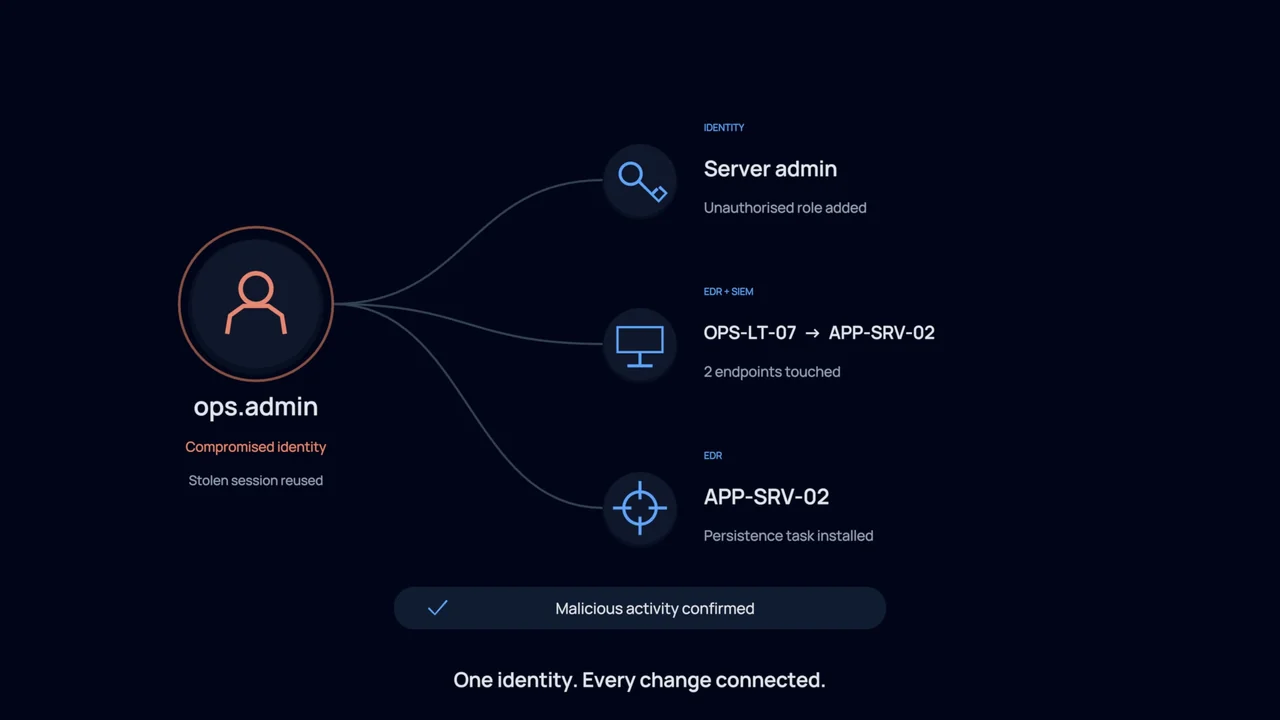
Reviews sign-in history, device information, known travel patterns and access records to build a fuller picture of the account activity.
Checks whether the evidence points to misuse and records the findings, so your team can judge the risk before taking action.
Prepares appropriate response steps, such as signing the user out or requiring them to sign in again, with the affected access clearly identified.
What your team gets
Account activity in context
Review the activity in context rather than making an account decision from one warning or one unusual location.
A prepared response
Give the operator a proposed course of action with the affected accounts and systems shown, reducing the work between review and approval.
A record of what changed
Keep the findings and response steps together so colleagues can understand the decision and follow up on the case.
You stay in control
CloudPeek reviews information first. Your operators choose whether to act themselves, approve a prepared response or allow specified actions to run automatically within the limits you choose.
Explore the technical example
- Runs on
- Entra ID · Okta · EDR · SIEM
- Autonomy
- levels 1 to 3
- 14:32:06DETECTImpossible travel, o.reed, finance. London to Singapore in 40 minutes.
- 14:32:09GATHERSign in history, device posture, token issuance times, prior incidents, entity page.
- 14:32:31ASSESSToken issued from an unmanaged device 6 minutes before the anomalous sign in.
- 14:32:38VERDICTTrue positive, high confidence. The travel note on file does not account for the device.
- 14:33:41HUMANContainment approved by c.hollington. Blast radius: 1 identity, 2 sessions.
- 14:33:44ACTSessions revoked, reauthentication forced, device flagged, entity page updated.