- Use case
- Investigations
- What you get
- A clear incident report
- Who decides
- Your team sets the authority.


The challenge
An alert passed for investigation is only the beginning. Someone still has to search across tools, connect events and write an account that responders, managers and reviewers can all understand.
How CloudPeek helps
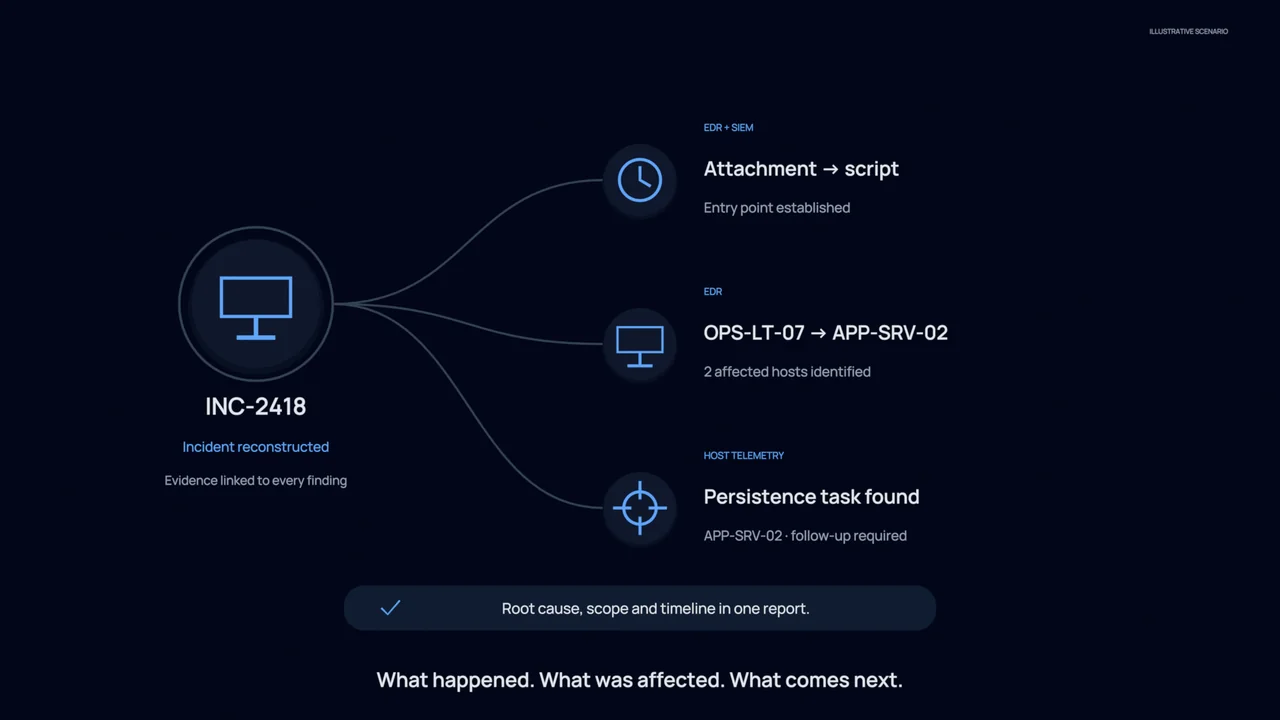
Collects relevant information from your connected tools and builds a timeline, keeping the sources attached to the investigation.
Follows the evidence to examine which people or systems were involved, how far the issue spread and what caused it.
Produces a structured report with the findings, supporting evidence and recommended next steps, ready for an analyst to review and amend.
What your team gets
A clear incident report
Give decision makers a coherent explanation of the incident, with evidence they can follow back to its source.
Clear next steps
Responders receive the findings and recommendations together, helping them decide what action is appropriate for the affected systems.
A shared investigation record
Keep the investigation and its findings in a shared record that the next analyst can inspect and build on.
You stay in control
Investigation begins with reviewing information. Your analyst can guide the work and approve recommendations; any enabled response follows your chosen approval rules and the boundaries you have set.
Explore the technical example
- Runs on
- SIEM · EDR · identity · cloud · ITSM
- Autonomy
- levels 1 to 3
- EDR telemetry
- sign in history
- cloud audit
- prior incidents
- new lead · another pass
- OPENescalated from triage
- TIMELINE412 events · 38 kept
- CORRELATE4 sources · 3 passes
- ROOT CAUSEconsent grant · 11 Aug
- WRITE UPevidence linked
- HANDOVERentity pages updated
- 09:27:01OPENEscalation from triage. Suspected credential abuse, 1 identity, 2 hosts.
- 09:27:04TIMELINEEvents aligned across SIEM, EDR, identity and cloud audit. 412 events, 38 relevant.
- 09:27:39SCOPEBlast radius established: 2 hosts, 1 service account, 1 shared mailbox. No lateral movement found.
- 09:28:02ROOT CAUSEToken issued to an unmanaged device following a consent grant on 11 August.
- 09:28:15WRITE UPNarrative, timeline, scope, root cause and recommended actions produced with evidence linked.
- 09:28:16HANDOVEREntity pages updated. Findings available to the next investigation touching these assets.