- Use case
- Threat hunting
- What you get
- Regular checks for hidden threats
- Who decides
- Your team sets the authority.


The challenge
Looking for attacks that have not produced a clear alert takes experienced people and uninterrupted time. That work is easily postponed when the incident queue keeps growing.
How CloudPeek helps
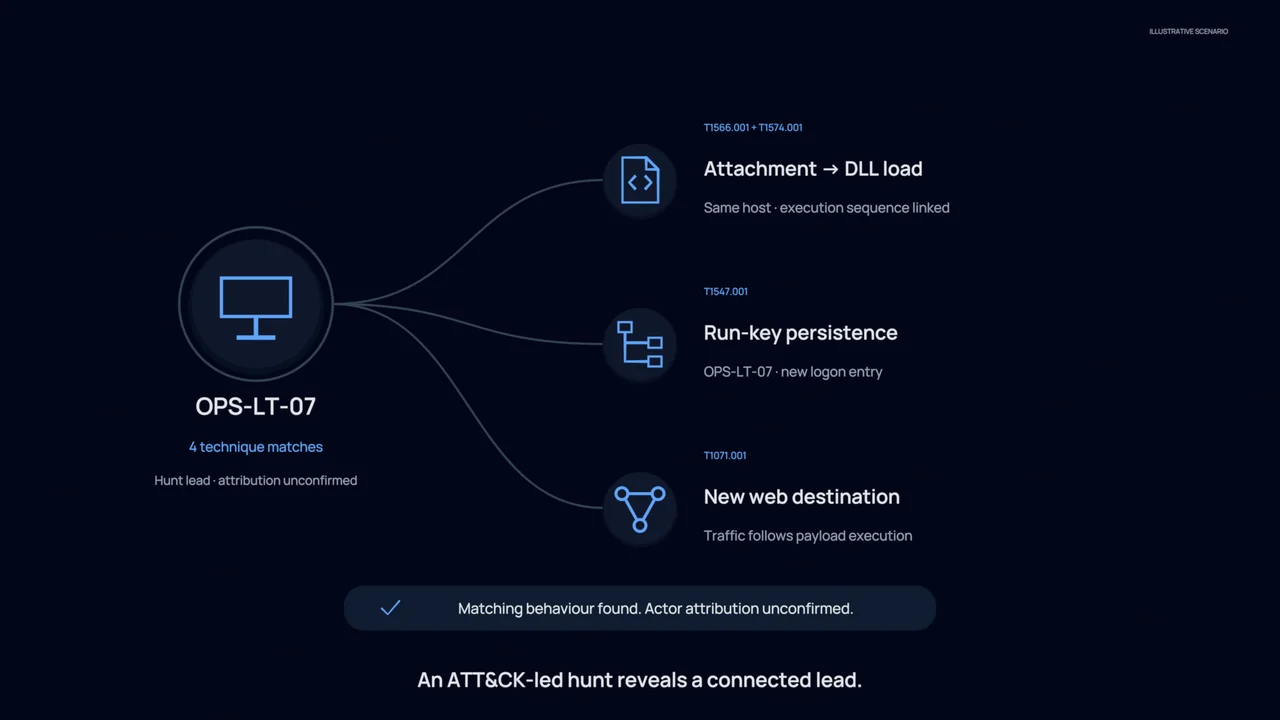
Runs agreed searches across your connected security tools to look for the activity your team wants to investigate, using a repeatable process.
Brings related results together and presents any findings with the searches and reasoning behind them, ready for your team to review.
Schedules regular checks where you permit them, raises findings for investigation and saves what was learned for future searches and investigations.
What your team gets
Regular checks for hidden threats
Give agreed security questions a regular place in the operation, instead of relying only on a quiet afternoon.
Findings with supporting detail
Review why something was raised and which searches produced it before deciding whether it needs a fuller investigation.
Learning your team can reuse
Keep the hunt results and relevant knowledge available to colleagues, supporting future searches and investigations.
You stay in control
Hunts begin by reading information. Your team chooses which systems to check, approves any follow-up actions and decides which regular checks may run automatically within those limits.
Explore the technical example
- Runs on
- SIEM · EDR · cloud · identity · threat intelligence
- Autonomy
- levels 1 to 3
- 02:00:00SCHEDULEHunt: credential access via LSASS on servers. Running nightly.
- 02:00:14QUERYEDR process telemetry, Windows event logs and identity sign ins across 3,400 hosts.
- 02:03:41CLUSTERResults grouped. 2 clusters do not match any known administrative pattern.
- 02:03:58MAPATT&CK T1003.001. Credential dumping, one host outside the admin baseline.
- 02:04:02RECORDFindings written to the knowledge layer. Baseline updated for future runs.